Skip to content
Menu
Do I need it?What an agent can reach on your machineHow it worksThe layers between the agent and your systemCompareBuilt-in sandboxes, Docker and VMsConfigureOpen only what a task needsSecurityThe threat model and its limitsDownloadBinaries, checksums and release notesInstall
An OS sandbox for AI coding agents

A jail for your AI coding agent

ai-jail runs Claude Code, Codex and other AI coding agents inside an OS sandbox on Linux and macOS. The project stays writable. Your files and credentials stay out of reach, except for the invoked agent's own login.

terminal
ai-jail claude
Not a VM

Give the agent the project, not the whole machine. ai‑jail makes that boundary real.

How a good agent goes wrong

All day the agent reads text you did not write: web pages, issues, READMEs, packages. One page with instructions hidden in it is enough, and the agent does not need to be hostile to follow them.

↔ Swipe sideways to see the full diagram

The same page, with and without ai-jail. The key is not there to read, and the general internet stays closed except for the agent's own API host and the package registries on Linux.
What else an agent can reach
  1. Your agent runs as you

    A coding agent is a program under your user account. So is every script, package and MCP server it starts; an MCP server is a helper program that gives the agent extra tools. All of them can open anything you can open.

  2. Start it through ai-jail

    Type ai-jail in front of the command. The agent starts in its own namespaces, with your project mounted at the same path.

  3. Your home is not mounted

    The agent gets a fresh, empty home directory. SSH keys (the files that log you in to your servers), cloud credentials, browser profiles and your other projects do not exist in there.

  4. Secrets, network and devices are closed

    ai-jail cuts environment variables down to an allowlist, so your shell secrets stay in your shell. The network is closed, except the agent's own API host and, on Linux, the package registries your toolchains fetch from. The Docker socket, the screen and the clipboard are off.

  5. Open what the task needs

    On the first interactive run, ai-jail opens a visual terminal setup with the For developers preset preselected so Claude Code, Codex, Gemini, Grok and Devin start logged in and reach their API host. Reopen ai-jail configure anytime, or pass flags such as --allow-host and --network directly.

Guided terminal setup, zero flag memorization

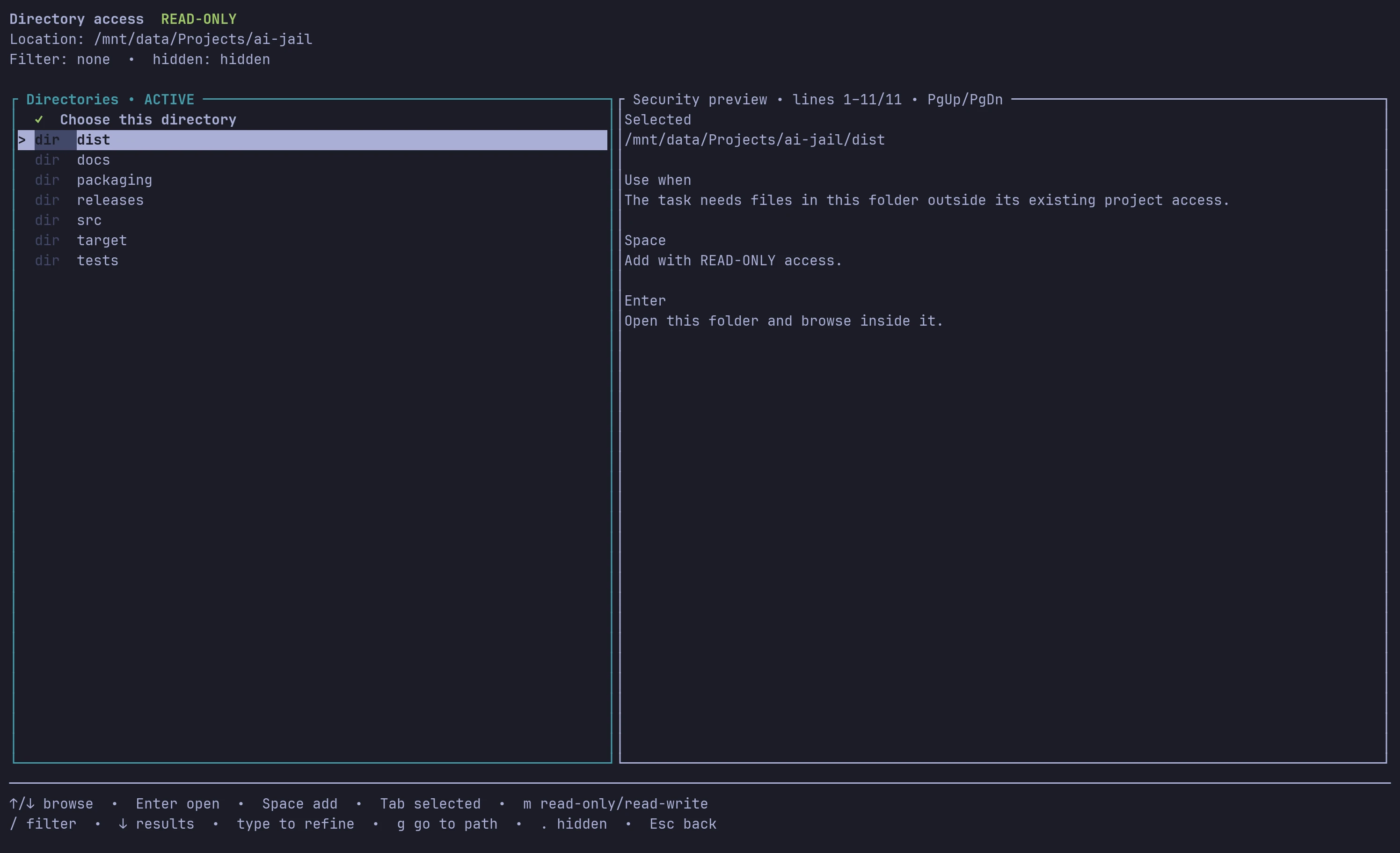
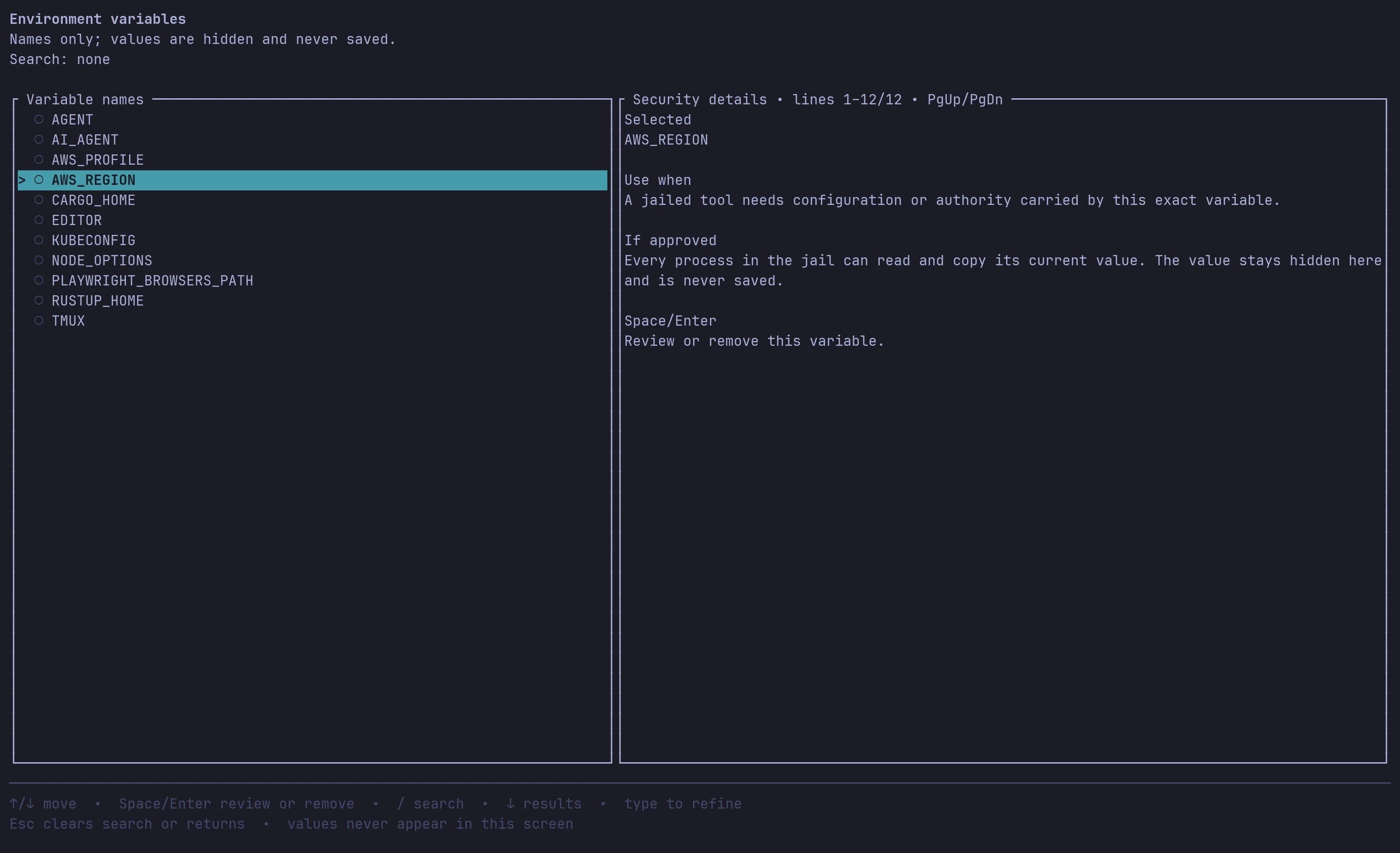
Run a known agent in a terminal and ai-jail opens one persistent setup screen on the first run. You review presets, pick environment names or directories visually, and save directly from the overview. Reopen it anytime with ai-jail configure.

Interactive TUI

Review and toggle access visually

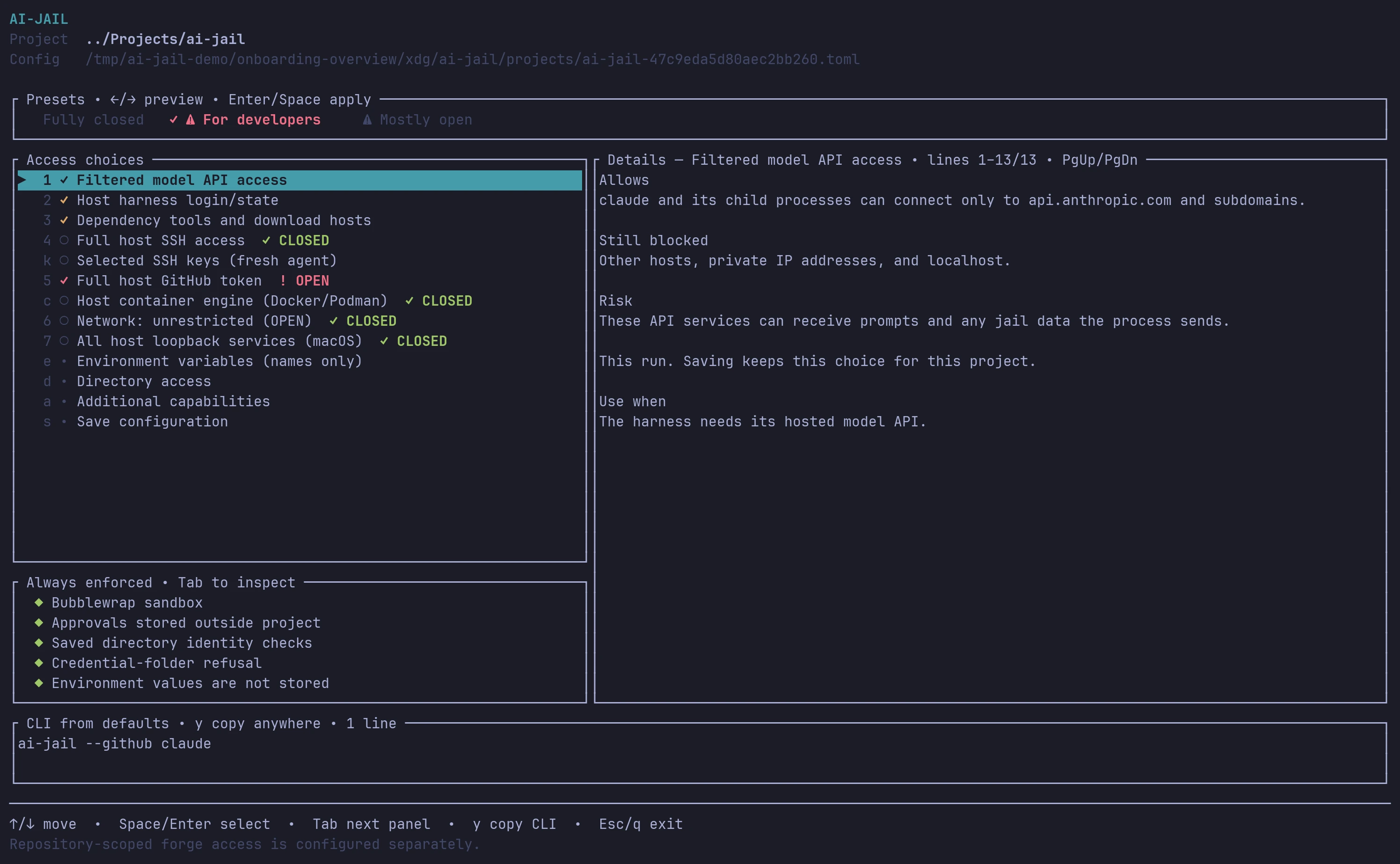
The first interactive run of ai-jail claude opens the setup screen with the For developers preset preselected. Every item is labeled ALLOWED, CLOSED, or OPEN, with plain-language notes on what it grants and what stays blocked. Run ai-jail configure claude anytime to adjust it.

ai-jail claude # or: ai-jail configure claude
Live CLI preview

Skip memorizing flags, or copy them with one key

You do not have to look up long flag combinations by hand. As you toggle choices in the TUI, the CLI from defaults bar at the bottom builds the shortest shell-safe command relative to built-in defaults. Press y on the main screen to copy it for scripts or CI.

ai-jail --map /data --env AWS_REGION -- claude
$ ai-jail claude
  • ←/→ presets
  • Space toggle
  • e env vars
  • d directories
  • y copy CLI
  • s save
The ai-jail interactive terminal setup screen for Claude Code showing presets at the top, access choices with ALLOWED, OPEN, and CLOSED badges on the left, plain-language security details on the right, and the live CLI from defaults bar at the bottom.

One screen for presets, access choices, and saving

Preview Fully closed, For developers, or Mostly open with the arrow keys before applying. Save configuration persists your choices straight from this overview to ~/.config/ai-jail/projects/, outside the repository.

  • Honest authority labels: Constrained grants say ALLOWED, preserved boundaries say ✓ CLOSED, and broad host authority says ! OPEN with a Cancel-first confirmation.
  • Always enforced panel: Shows the baseline protections that stay active on every run, including the read-write project mount, masked secrets, and hidden home directory.
  • Live CLI bar: Shows the exact flag equivalent as you navigate and copies it to your clipboard when you press y.

The wall goes around the whole harness

Agents that ship a sandbox put it around the commands the model runs. The agent process, its file tools, its MCP servers and its hooks (scripts the agent runs at set moments) stay outside, under your account. ai-jail starts all of them inside. A prompt asks a person, and a person can be rushed or fooled. A sandbox asks the kernel, the core of the operating system, which gives the same answer every time.

↔ Swipe sideways to see the full diagram

One policy for every agent you use, written once.
See the full comparison

What you get with the developer preset

On the first interactive run, the For developers preset keeps everything that reaches your machine off, except the agent's own login, its API host, your toolchains (on Linux) and their package registries, plus an optional host GitHub token confirmation. Saved profiles live outside the repository under ~/.config/ai-jail, and writes outside the project land in memory and vanish when the session ends.

Inside the jail

  • Your project, read and write, at its real path
  • Your toolchains, read only, with a cache the jail owns (Linux)
  • The agent's own login, such as ~/.claude, so it starts signed in
  • A known agent's own API host, and the package registries on Linux
  • A fresh home directory and a private /tmp

Out of reach

  • ~/.ssh, ~/.aws, ~/.gnupg, browser profiles
  • Your shell secrets, except the agent's own API key
  • Other processes, host IPC, ptrace and bpf

Off until you ask

  • ai-jail configure to pick directories, environment names, or selected SSH keys visually
  • --allow-host, --allow-private-host, --forward-port, --publish-port, --prompt-hosts or --network
  • ai-jail forge setup for repo-scoped tokens, plus --gpu, --display, --docker and more
All the switches

ai-jail is one small program with no daemon and no root. On Linux it builds the walls from kernel features: bubblewrap for the namespaces and mounts, plus Landlock, seccomp and resource limits where the kernel has them. On macOS it translates what the platform supports into a thinner sandbox-exec profile. Trusted policy is stored outside the checkout in ~/.config/ai-jail, and a legacy .ai-jail file inside a repository can only tighten the jail and never open it.

How the layers work

Questions people ask first

Does it slow the agent down?
No. The sandbox is made of kernel features, namespaces and mount rules. There is no emulation and no virtual machine, and the agent runs at native speed.
Which agents does it support?
Any command. It knows where Claude Code, Codex, Gemini CLI, OpenCode, Antigravity, Kimi, Kiro, Prime Agent, Devin, Crush, Grok, jcode, pi, aider, SoulForge and omp keep their login, and offers it in the first-run developer preset. The table on Install lists what each one gets, and ai-jail bash gives you a shell inside the jail to look around.
Does it work on Windows?
Not natively. Use WSL2 and the Linux backend inside it.
My agent needs the internet. Is the jail still useful?
Yes. A known agent such as Claude Code reaches its own API host out of the box, plus the package registries on Linux, and nothing else. --allow-host adds the hosts you name. With --network on instead, the agent can still only read your project, so your keys and the rest of your home are not there to send. What it can read, it can send, which is why masking secrets inside the project matters. See how to mask them.
Is it free?
Yes. ai-jail is open source under the GPL 3.0 license.

Put your agent behind bars

ai-jail is a single binary that needs no daemon and no root. You add one word in front of the command you already run.

terminal
brew tap akitaonrails/tap && brew install ai-jailai-jail claude